Showing posts with label audiocreatoreditor. Show all posts

Friday, May 11, 2012

Using Audacity to Learn About Jazz


Subject: Music
Grade: 5
Technology tools: Computer
Tools used: Audio Creator/editor
Activity type: Lesson

Mrs. Moore, a 5th grade teacher, gave me a list of reading strategies from Open Court that were set to silly children’s melodies.

We were learning about jazz and blues in 5th grade music, so I taught the students what a 12-bar-blues pattern is, we sang a 12-bar blues song, and then they played the patterns on the barred instruments. I then assigned the Open Court songs to two or more students in a group. Our objective was to discover what an “arranger” does to music. The group had to re-write the song so they could perform it to a 12-bar-blues riff.
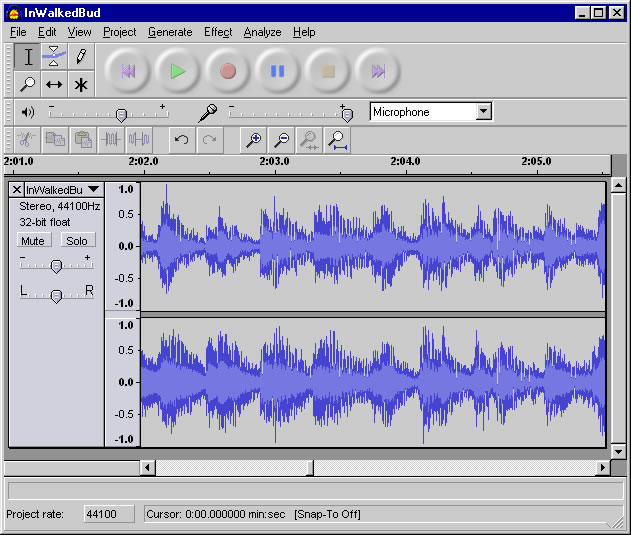

I have these recorded through the free software called Audacity and we are going to decide which recording is the best for each reading strategy and use them in a 12-bar-blues piece to remember the reading strategies for the EOGs.  I have recorded the students and put them in a folder on the shared drive at Viewmont. I am so pleased with what they have created!

I saved them as .wav files but I want to figure out how to put them on my webpage and then make a CD of them for future use. I had the students sit at my computer and use the Audacity software as they were recording. I know this is a free download, so some of them may be able to make use of it at home.

Wanda Logan,  Viewmont Elementary

Monday, May 7, 2012

Integrating Technology in Music


Subject:  Music (Arts)
Grades:  6, 7
Technology tools:  Computer(s), Laptop(s), Tuners, Phones
Tools used:  Interactive website, Video creator / editor, Audio creator / editor
Activity type:  Unit, Assessment

Learning Targets:
I can tune my instrument accurately
I can perform_________ in tune and with a steady beat.

We use digital tuners and smart phone apps to check our accuracy when we tune.

We also are using the interactive SmartMusic program for a SmartMusic review challenge with 6th and 7th graders.

Students use their phones and my iPhone to record tests and to send home recordings to practice with.
Tuners were purchased with a grant from DKG Sorority.

Students assess their progress on a daily basis with tuners and SmartMusic.  Test scores are about 20% higher for students who use their own phones to record tests and retests are higher for those who send their tests home to review using my iPhone.

We will continue to use all these strategies.

Using PhotoPeach with ESL Students


Subjects:  Language Arts, Science, Social Studies
Grades:  K, 1, 2, 3, 4, 5
Technology tools:  Computer(s), Laptop(s), LCD Projector, Interactive Slate
Tools used:  Interactive website, Video, Digital text / ebook, Audio, Audio creator / editor, Word processing, Image creator / editor
Activity type:  Lesson, Unit, Project, Teacher presentation

I used PhotoPeach, a web-based, user-friendly, slideshow maker, to integrate science and technology, and ESL/ELA content and technology. In one third grade project, students studied main idea, comparing and contrasting, and Tier 2 words, and science content. After drawing pictures and writing descriptive sentences that compared and contrasted, they were able to upload their drawings, and add music, text, and comments to their presentations.

A similar activity was done in first grade; with more of a focus on sentence structure.
Another PhotoPeach project integrated the school-wide Career Day presentations by parents and community members. After pictures were uploaded, students added descriptive sentences, which are now to be presented to parents and attendees at Awards Day.

PowerPoint presentations and interactive slates have been a part of my curriculum for a few years now.

Crystal Pritchett, Jenkins Elementary 

Wednesday, April 18, 2012

Inquiry Process


Subject:  Science
Grade:  9, 10
Technology tools:  Computer(s)
Tools used:  Interactive website, Video, Video creator / editor, Audio, Audio creator / editor
Activity type:  Project

The essence of the inquiry process is to ask questions that stimulate students to think critically and to formulate their own questions. Observing, classifying, using numbers, plotting graphs, measuring, inferring, predicting, formulating models, interpreting data, hypothesizing, and experimenting help students build knowledge and communicate what they have learned.

Encourage students to research and script information in a concise and informative manner, using PowerPoint, each student narrates their presentation with their research.  Students prepare a script of the information they choose to include in their project and they hand in their script along with their PowerPoint.  They use music, video clips, charts and diagrams to share information about their topic.  This allows them to present without the pressure of standing in front of the class, many have enjoyed using this medium and have done very well.

Each student had a rubric that listed the material required in each slide and the total number of slides.  I also allow students to rank the projects they see to give me a better feel how the students perceive the task.

I think it has been successful and I continually change and revamp to allow students the ability to learn more from their research and presentation.

Robert Lail, Hickory High 

------------------------------------------------------------------------------------

Looking for music or images for students to use in presentation or media projects?  Check out these links:

http://www.delicious.com/murraygirl/audio