Showing posts with label computer. Show all posts

Friday, May 11, 2012

Second Grade ESL Students Research Frog/Amphibian

Subject: Science
Grade: 2
Technology tools: Computer, Laptops
Tools used: Interactive website, Video,
Activity type: Lesson, Research, Project

In connecting with their classroom study of the rainforest, Second Grade ESL Students are using internet resources to collect data about Frogs/Amphibians. Each student is uses a netbook to log onto educational websites such as National Geographic Kids to correctly label poison dart frogs, complete life cycle diagrams, and collect dash facts about the species.

 
They have also been able to watch short video clips about the habitats and life cycles of tree frogs and poison dart frogs. Students are creating their own frog research book. This project builds ESL students' background knowledge and vocabulary in the areas of life science, nonfiction reading, and information technology.

Christine Smith, Viewmont Elementary

Using PhotoPeach to Share Career Day

Grade: K, 1, 2, 3, 4, 5
Technology tools: Computer, projector
Tools used: Interactive website, Communication Tool
Activity type: Presentation

To share the events of Career Day at Jenkins Elementary, I created a PhotoPeach slideshow of pictures from the day.

View the slideshow here.


Crystal Pritchett,  Jenkins Elementary


Interactive PowerPoint Presentation for Rainforest Unit

Subject: Science
Grade: K
Technology tools: Computer, projector
Tools used: PowerPoint
Activity type: Lesson

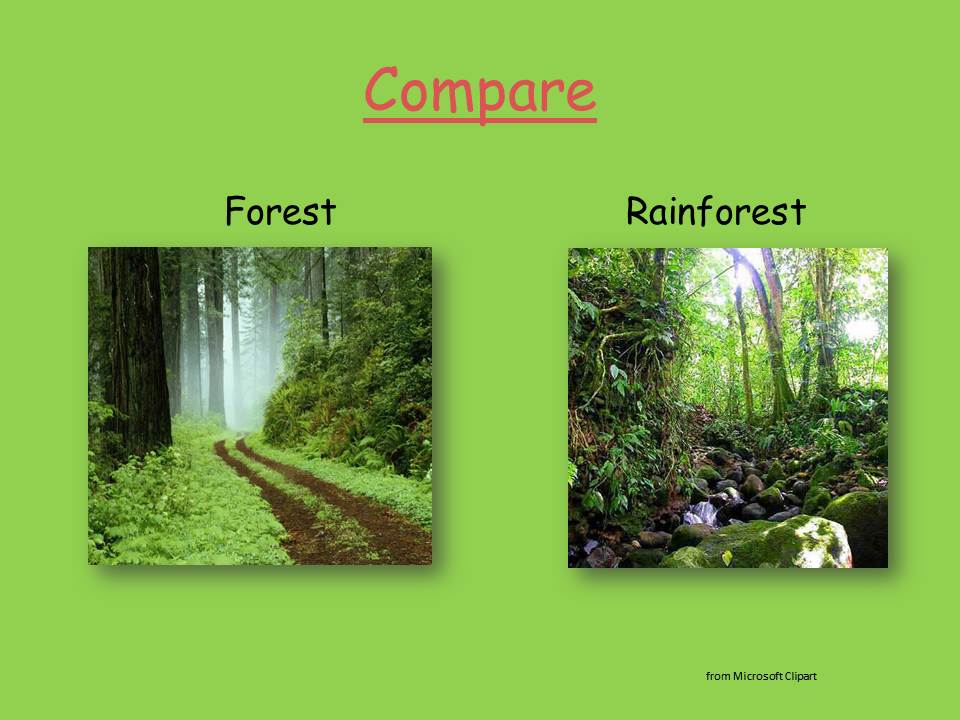
I created and used a PowerPoint presentation for my Rainforest unit…It incorporates all the subjects and higher-order thinking skills. I have another one for animals that I use as well.

Here are images of a few of the slides from the presentation on Rainforests:


Here is a picture of the culminating project for the Rainforest unit:


Jenny Wadsworth, Longview Elementary

Elementary Project: Collaborating with Media Coordinator

Subject: Science, Social Studies
Grade: 4, 5
Technology tools: Computer
Tools used: PowerPoint, Paint, Websites
Activity type: Project, lesson, research


4th grade lesson – We are beginning our research project on the lighthouses of North Carolina. Students will be using the internet to find facts about NC lighthouses and fill in a data chart with those facts. (Height; design; date built; etc) After 2 weeks of research, they will use Microsoft Paint to draw and label their favorite lighthouse.


5th grade lesson – We are culminating our project on Natural Disasters. This began as a collaborative project with 5th grade teacher Tara Triplett, and was so successful it expanded to other classes. Students have worked in groups to research a natural disaster and create PowerPoint presentations. We will be viewing our PowerPoint presentations as a class.

Caroline Brown, Media Coordinator, Longview Elementary

FitnessGram

Subject: PE
Grade: K, 1, 2, 3, 4, 5
Technology tools: Computer
Tools used: Video, Interactive Website
Activity type: Assessment


We are continuing to complete our FitnessGram Assessment. Students will watch a brief video clip (demonstration of the fitness component that students will work on today) before practicing each test component. When students have completed all components, the plan is for them to go online and input their data. Students will then receive a individualized analysis of their scores.

Phoebe Chislom, Longview Elementary

What is Media Literacy?

Subject: Information Literacy
Grade: 5
Technology tools: Computer
Tools used: Interactive website
Activity type: Lesson

Learning objective:  What is Media Literacy and why is it important to me?


This week fifth graders at Jenkins Elementary are exploring the website: http://pbskids.org/dontbuyit/?campaign=list_dontbuyit to discover and reflect on the many ways that they are influenced by media everyday.


They are journaling by writing the main idea of each topic in the areas of Advertising Tricks, Buying Smart, Your Entertainment, and Pop-up ads and reflecting on what they are learning. They are designing their own ads and explaining their choices.


This website “engages students in media literacy — the ability to access, evaluate, analyze and produce both electronic and print media — by dissecting pop culture and advertisements.” Our goal for this learning experience is that students will “build critical thinking and analytic skills, become more discriminating in the use of mass media, distinguish between reality and fantasy, and consider whether media values are their values.” 


Robin Rash, Media Specialist, Jenkins Elementary

Integrating Technology in an Elementary Classroom

Subject: Language Arts, Science, Social Studies, Math
Grade: 4
Technology tools: Computer, Projector, Interactive Whiteboard
Tools used: PowerPoint, Interactive website
Activity type: Lesson, assessment, project, research

This week in reading I will be using Spelling City in Literacy First stations for Words Their Way word sort practice.


I also use my classroom computers for student research on NC history, geography, etc. The students Google search and compare researched information to other sites as well as what their teammates found.

I use a listening station in Literacy First stations and this week they are listening to Roald Dahl read Fantastic Mr. Fox.

In whole group, I will use the SMART Board for viewing videos of JFK to go along with our Weekly Reader. We will Google search and project Google images of Oswald, Ruby, and Maria Shriver.

Other websites I will visit to connect with the Weekly Reader are http://www.dinosaurfact.net/ and http://boston.redsox.mlb.com/bos/ballpark/index.jsp.


Also, I will use it in math to project our textbook and homework practice book as well as real world math problems in the beginning of each lesson (these are interactive PowerPoint presentations generally used to introduce the lesson). I will use “Mall Math” from Lakeshore which reviews decimals, fractions and percents on the SMART Board using an interactive game and real world flyers. 

Lastly, and most cool of all, I will be using the Zoomy this week for Science. We are studying systems of the body and I will use the handheld digital microscope to project examples of striated, smooth and cardiac muscle from their text book. We will also take a close look at our skin using the Zoomy!


Danielle Jackson,  Longview Elementary