Showing posts with label science. Show all posts

Friday, May 11, 2012

Second Grade ESL Students Research Frog/Amphibian

Subject: Science
Grade: 2
Technology tools: Computer, Laptops
Tools used: Interactive website, Video,
Activity type: Lesson, Research, Project

In connecting with their classroom study of the rainforest, Second Grade ESL Students are using internet resources to collect data about Frogs/Amphibians. Each student is uses a netbook to log onto educational websites such as National Geographic Kids to correctly label poison dart frogs, complete life cycle diagrams, and collect dash facts about the species.

 
They have also been able to watch short video clips about the habitats and life cycles of tree frogs and poison dart frogs. Students are creating their own frog research book. This project builds ESL students' background knowledge and vocabulary in the areas of life science, nonfiction reading, and information technology.

Christine Smith, Viewmont Elementary

Interactive PowerPoint Presentation for Rainforest Unit

Subject: Science
Grade: K
Technology tools: Computer, projector
Tools used: PowerPoint
Activity type: Lesson

I created and used a PowerPoint presentation for my Rainforest unit…It incorporates all the subjects and higher-order thinking skills. I have another one for animals that I use as well.

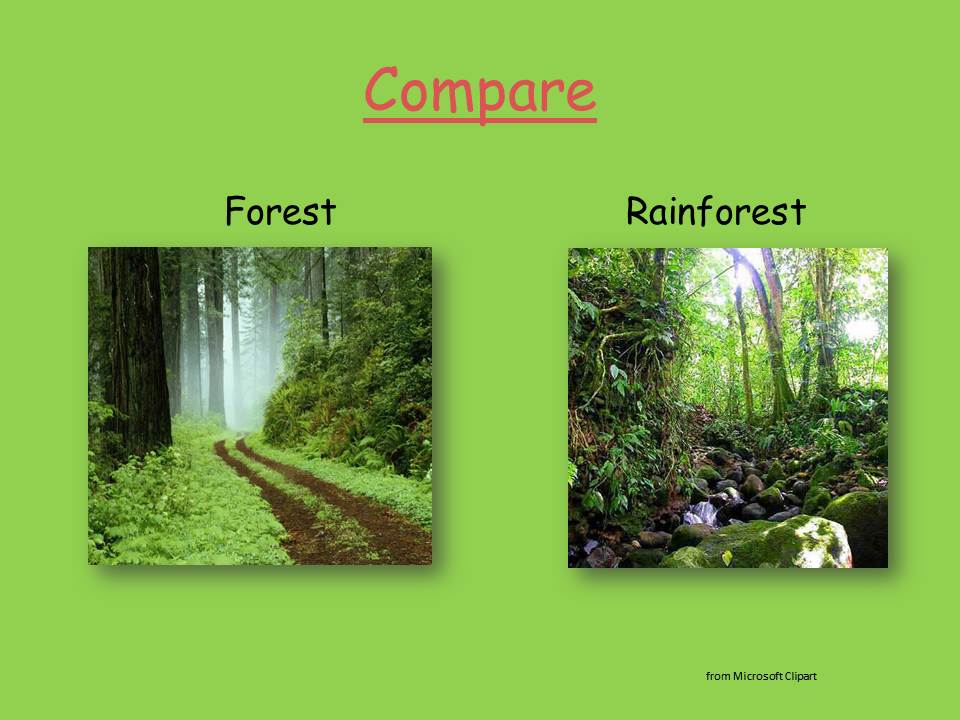
Here are images of a few of the slides from the presentation on Rainforests:


Here is a picture of the culminating project for the Rainforest unit:


Jenny Wadsworth, Longview Elementary

Elementary Project: Collaborating with Media Coordinator

Subject: Science, Social Studies
Grade: 4, 5
Technology tools: Computer
Tools used: PowerPoint, Paint, Websites
Activity type: Project, lesson, research


4th grade lesson – We are beginning our research project on the lighthouses of North Carolina. Students will be using the internet to find facts about NC lighthouses and fill in a data chart with those facts. (Height; design; date built; etc) After 2 weeks of research, they will use Microsoft Paint to draw and label their favorite lighthouse.


5th grade lesson – We are culminating our project on Natural Disasters. This began as a collaborative project with 5th grade teacher Tara Triplett, and was so successful it expanded to other classes. Students have worked in groups to research a natural disaster and create PowerPoint presentations. We will be viewing our PowerPoint presentations as a class.

Caroline Brown, Media Coordinator, Longview Elementary

Integrating Technology in an Elementary Classroom

Subject: Language Arts, Science, Social Studies, Math
Grade: 4
Technology tools: Computer, Projector, Interactive Whiteboard
Tools used: PowerPoint, Interactive website
Activity type: Lesson, assessment, project, research

This week in reading I will be using Spelling City in Literacy First stations for Words Their Way word sort practice.


I also use my classroom computers for student research on NC history, geography, etc. The students Google search and compare researched information to other sites as well as what their teammates found.

I use a listening station in Literacy First stations and this week they are listening to Roald Dahl read Fantastic Mr. Fox.

In whole group, I will use the SMART Board for viewing videos of JFK to go along with our Weekly Reader. We will Google search and project Google images of Oswald, Ruby, and Maria Shriver.

Other websites I will visit to connect with the Weekly Reader are http://www.dinosaurfact.net/ and http://boston.redsox.mlb.com/bos/ballpark/index.jsp.


Also, I will use it in math to project our textbook and homework practice book as well as real world math problems in the beginning of each lesson (these are interactive PowerPoint presentations generally used to introduce the lesson). I will use “Mall Math” from Lakeshore which reviews decimals, fractions and percents on the SMART Board using an interactive game and real world flyers. 

Lastly, and most cool of all, I will be using the Zoomy this week for Science. We are studying systems of the body and I will use the handheld digital microscope to project examples of striated, smooth and cardiac muscle from their text book. We will also take a close look at our skin using the Zoomy!


Danielle Jackson,  Longview Elementary

Using technology tools to reach all students - every day!

Subject: Language Arts, Math, Science, Social Studies
Grade: 3
Technology tools: Computer, Projector, Interactive Whiteboard
Tools used: PowerPoint, Interactive website
Activity type: Lesson, assessment, project, research

I use technology each morning by having rotations to use IXL for math review as part of morning work.

 
I use a SMART Board lesson every day in math rotations.


Kids use PowerPoint presentations, SMART Board Notebook lesson, game templates like Candy Land for prefixes and suffixes, etc.


Students have used Wordles this year for each vocabulary unit or chapter book they are reading.


Students make the character scrapbook from Scholastic for each book we have read with a prominent character.


Students use the Internet to research for non fiction projects.

They have made a Word document for each other to highlight positive character traits in a musical chair activity.

I use Google Images for inferencing ideas.


I use Pinterest to organize all of the things I find ☺


I also use my iPhone to download Apps for my non-reader EC child.


I use Storyline Online and the monthly free read-alouds on Barnes and Noble site for the monthly book available.


YouTube also features several Scholastic books read aloud with video clips.


I use blogs for ideas, lesson downloads, and games.

I could go on and on and on!!!

Lora Snider,  Longview Elementary

Tuesday, May 8, 2012

Learning about pH

Subject: Science
Grade: 8
Technology tools: Computer
Tools used: Interactive Website, Video
Activity type: Lesson, Assessment

On Thursday I am planning an activity on pH involving interactive websites Brain Pop, Study Island, and Alien Juice Bar. On Brain Pop, we will be watching a short video and completing a group quiz on the pH scale.


On Alien Juice Bar (http://scienceview.berkeley.edu/showcase/flash/juicebar.html), students will manipulate data to create acids and bases. We will access the Alien Juice Bar website through the use of Study Island.


Jeopardy Review


Subject: Science, Math
Grade: 6
Technology tools: Computer
Tools used: PowerPoint
Activity type: Assessment


I am reviewing this week with my students for a chapter test next week by playing Jeopardy. My Jeopardy review questions will all be on the test and the students love playing this “game” and studying at the same time.

Arnold Knight, Grandview Middle

Rainforest Project with ESL Students

Subjects: Language Arts, Science, Information Literacy
Grade: 2
Technology tools: Computer(s), Laptop(s), LCD Projector, Document Camera
Tools used: Interactive website
Activity type: Lesson, Project, Research


Objectives:
ELA Gr 2 Writing Standard: Text Types and Purposes: 2. Write Informational Texts in which they introduce a topic, use facts ad definitions to develop points, and provide a concluding statement or section.Research to Build and Present Knowledge: 7. Participate in Shared research and writing projects

WIDA ELP Standard 2: Language of LArts: Reading Informational Text ; Standard 4: Language of Science: Reading and Writing Living Organisms

Grade 2 Science Standards: Life Cycles

In connecting with their classroom study of the rainforest, Second Grade ESL Students are using internet resources to collect data about Frogs/Amphibians. Each student is uses a netbook to log onto educational websites such as National Geographic Kids to correctly label poison dart frogs, complete life cycle diagrams, and collect dash facts about the species. They have also been able to watch short video clips about the habitats and life cycles of tree frogs and poison dart frogs. Student are creating their own frog research book. This project builds ESL students' background knowledge and vocabulary in the areas of life science, nonfiction reading, and information technology.

Christine Smith, Viewmont

Monday, May 7, 2012

Cell Transport and Cell Division

Subject:  Science
Grades:  9, 10, 11, 12
Technology tools:  Computer(s), LCD Projector, cell phone camera
Tools used:  Digital camera on phones
Activity type:  Lesson

NC SCoS Biology Cell Transport and Cell Division

Students were using microscopes to view living cells (red onion) with fresh water and when salt water was added.  After students saw the cells shrink with the addition of salt water, I challenged them to collect before/after pictures using their cell phone cameras.  They did beautifully! 

Onion cell Before


Onion cell After
We then shared these with an ELL Biology class during the same period.  I repeated the exercise the following week as we observed the stages of mitosis/cell cycle with onion root tip slides.  Students who could not distinguish among the stages could then use the pictures taken by their classmates for assistance,  I projected these the following day in my classroom.

Students were given bonus points on their lab if they emailed me the digital photos.

Picture of cell cycle by 10th biology student
I think this was a great use of their own technology.  I think I might have them process the pictures (add labels, etc.) the next time I use this.

Gena Barnhardt,  Hickory High

Using PhotoPeach with ESL Students


Subjects:  Language Arts, Science, Social Studies
Grades:  K, 1, 2, 3, 4, 5
Technology tools:  Computer(s), Laptop(s), LCD Projector, Interactive Slate
Tools used:  Interactive website, Video, Digital text / ebook, Audio, Audio creator / editor, Word processing, Image creator / editor
Activity type:  Lesson, Unit, Project, Teacher presentation

I used PhotoPeach, a web-based, user-friendly, slideshow maker, to integrate science and technology, and ESL/ELA content and technology. In one third grade project, students studied main idea, comparing and contrasting, and Tier 2 words, and science content. After drawing pictures and writing descriptive sentences that compared and contrasted, they were able to upload their drawings, and add music, text, and comments to their presentations.

A similar activity was done in first grade; with more of a focus on sentence structure.
Another PhotoPeach project integrated the school-wide Career Day presentations by parents and community members. After pictures were uploaded, students added descriptive sentences, which are now to be presented to parents and attendees at Awards Day.

PowerPoint presentations and interactive slates have been a part of my curriculum for a few years now.

Crystal Pritchett, Jenkins Elementary 

Learning about Amphibians

Subjects:  Science, Social Studies, Information Literacy
Grade:  1
Technology tools:  Computer(s), LCD Projector
Tools used:  Interactive website, Video, Digital text / ebook
Activity type:  Lesson, Unit, Research

 
We are learning about amphibians this week.  We have integrated both our Weekly Readers (and the online digital edition) and National Geographic for Kids websites to allow the children to explore and find out where these animals live, how they defend themselves, what they sound like, and what they eat.  The Weekly Reader online edition allows children to see and hear what they are learning about through the incorporation of video clips.  National Geographic for Kids online has allowed the children to not only learn of the animal habitats, but how they survive, defend themselves, and even what these animals sound like.

We began this lesson in our classroom while the children had the paper edition of Weekly Reader at their desks.  I used my projector to display the digital edition on my board.  We took turns reading information regarding amphibians.  Video clips were shown of frogs/toads catching their prey, and how camouflage benefits them.  Students were also asked to use higher level thinking skills to answer questions about why frogs benefit from being camouflaged.  After we finished reading, I showed the students where they would be "going" once we got to the computer lab.  I modeled where students would log on, what they would be searching for, and explained that they would need to tell me something new they learned about amphibians from the National Geographic forKids web site.

Assessment:  Children needed to verbally tell me something they learned today about amphibians.

Laura Streamer,  Longview

Monday, April 23, 2012

Learning About Craters

Subject:  Science
Grade:  3
Technology tools:  Computer(s), LCD Projector
Tools used:  Video, Power Point
Activity type:  Lesson, Teacher presentation, Experiment

Earth, Moon, Sun - Craters


To begin the lesson a PowerPoint presentation was used to explain what craters were and how they were formed on the Earth as well as on the moon.  A short video from the internet was shown to further explain craters.  Afterwards, an experiment was completed to demonstrate how size and speed determines size of crater.

Donna Flowers,  Jenkins Elementary