Subject: Science
Grade: 2
Technology tools: Computer, Laptops
Tools used: Interactive website, Video,
Activity type: Lesson, Research, Project
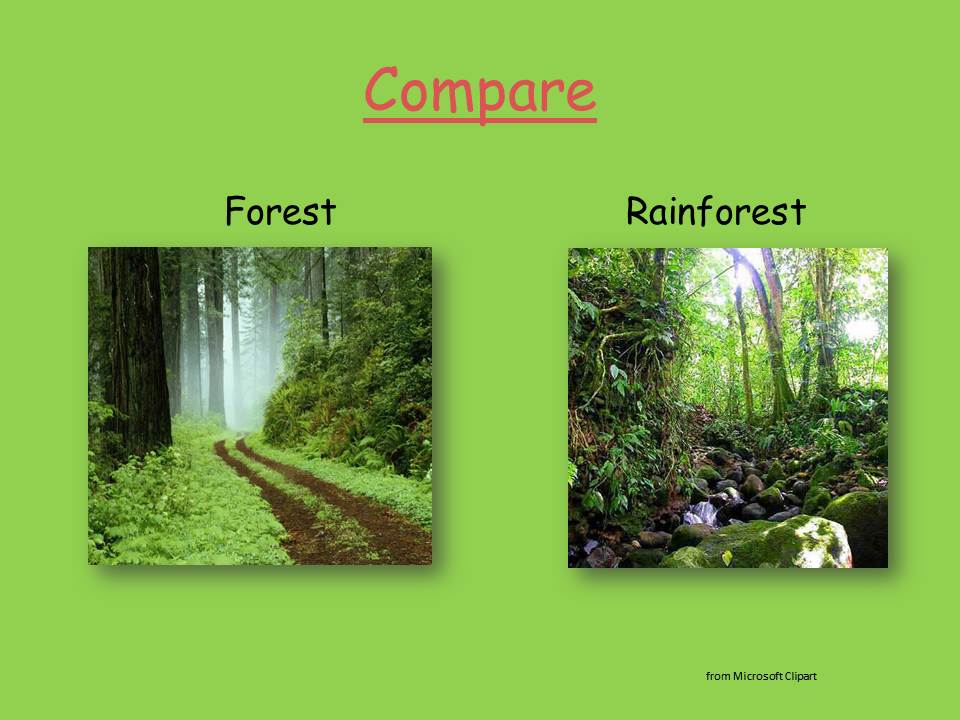
In connecting with their classroom study of the rainforest, Second Grade ESL Students are using internet resources to collect data about Frogs/Amphibians. Each student is uses a netbook to log onto educational websites such as National Geographic Kids to correctly label poison dart frogs, complete life cycle diagrams, and collect dash facts about the species.
They have also been able to watch short video clips about the habitats and life cycles of tree frogs and poison dart frogs. Students are creating their own frog research book. This project builds ESL students' background knowledge and vocabulary in the areas of life science, nonfiction reading, and information technology.
Christine Smith, Viewmont Elementary
Showing posts with label lesson. Show all posts
Friday, May 11, 2012
Interactive PowerPoint Presentation for Rainforest Unit
Subject: Science
Grade: K
Technology tools: Computer, projector
Tools used: PowerPoint
Activity type: Lesson
I created and used a PowerPoint presentation for my Rainforest unit…It incorporates all the subjects and higher-order thinking skills. I have another one for animals that I use as well.
Here are images of a few of the slides from the presentation on Rainforests:
Here is a picture of the culminating project for the Rainforest unit:
Jenny Wadsworth, Longview Elementary
Grade: K
Technology tools: Computer, projector
Tools used: PowerPoint
Activity type: Lesson
I created and used a PowerPoint presentation for my Rainforest unit…It incorporates all the subjects and higher-order thinking skills. I have another one for animals that I use as well.
Here are images of a few of the slides from the presentation on Rainforests:
Here is a picture of the culminating project for the Rainforest unit:
Jenny Wadsworth, Longview Elementary
Elementary Project: Collaborating with Media Coordinator
Subject: Science, Social Studies
Grade: 4, 5
Technology tools: Computer
Tools used: PowerPoint, Paint, Websites
Activity type: Project, lesson, research

4th grade lesson – We are beginning our research project on the lighthouses of North Carolina. Students will be using the internet to find facts about NC lighthouses and fill in a data chart with those facts. (Height; design; date built; etc) After 2 weeks of research, they will use Microsoft Paint to draw and label their favorite lighthouse.

5th grade lesson – We are culminating our project on Natural Disasters. This began as a collaborative project with 5th grade teacher Tara Triplett, and was so successful it expanded to other classes. Students have worked in groups to research a natural disaster and create PowerPoint presentations. We will be viewing our PowerPoint presentations as a class.
Caroline Brown, Media Coordinator, Longview Elementary
Grade: 4, 5
Technology tools: Computer
Tools used: PowerPoint, Paint, Websites
Activity type: Project, lesson, research
4th grade lesson – We are beginning our research project on the lighthouses of North Carolina. Students will be using the internet to find facts about NC lighthouses and fill in a data chart with those facts. (Height; design; date built; etc) After 2 weeks of research, they will use Microsoft Paint to draw and label their favorite lighthouse.
5th grade lesson – We are culminating our project on Natural Disasters. This began as a collaborative project with 5th grade teacher Tara Triplett, and was so successful it expanded to other classes. Students have worked in groups to research a natural disaster and create PowerPoint presentations. We will be viewing our PowerPoint presentations as a class.
Caroline Brown, Media Coordinator, Longview Elementary
What is Media Literacy?
Grade: 5
Technology tools: Computer
Tools used: Interactive website
Activity type: Lesson
Learning objective: What is Media Literacy and why is it important to me?
This week fifth graders at Jenkins Elementary are exploring the website: http://pbskids.org/dontbuyit/?campaign=list_dontbuyit to discover and reflect on the many ways that they are influenced by media everyday.
They are journaling by writing the main idea of each topic in the areas of Advertising Tricks, Buying Smart, Your Entertainment, and Pop-up ads and reflecting on what they are learning. They are designing their own ads and explaining their choices.
This website “engages students in media literacy — the ability to access, evaluate, analyze and produce both electronic and print media — by dissecting pop culture and advertisements.” Our goal for this learning experience is that students will “build critical thinking and analytic skills, become more discriminating in the use of mass media, distinguish between reality and fantasy, and consider whether media values are their values.”

Robin Rash, Media Specialist, Jenkins Elementary
Integrating Technology in an Elementary Classroom
Subject: Language Arts, Science, Social Studies, Math
Grade: 4
Technology tools: Computer, Projector, Interactive Whiteboard
Tools used: PowerPoint, Interactive website
Activity type: Lesson, assessment, project, research
This week in reading I will be using Spelling City in Literacy First stations for Words Their Way word sort practice.
I also use my classroom computers for student research on NC history, geography, etc. The students Google search and compare researched information to other sites as well as what their teammates found.
I use a listening station in Literacy First stations and this week they are listening to Roald Dahl read Fantastic Mr. Fox.
In whole group, I will use the SMART Board for viewing videos of JFK to go along with our Weekly Reader. We will Google search and project Google images of Oswald, Ruby, and Maria Shriver.
Other websites I will visit to connect with the Weekly Reader are http://www.dinosaurfact.net/ and http://boston.redsox.mlb.com/bos/ballpark/index.jsp.
Also, I will use it in math to project our textbook and homework practice book as well as real world math problems in the beginning of each lesson (these are interactive PowerPoint presentations generally used to introduce the lesson). I will use “Mall Math” from Lakeshore which reviews decimals, fractions and percents on the SMART Board using an interactive game and real world flyers.
Lastly, and most cool of all, I will be using the Zoomy this week for Science. We are studying systems of the body and I will use the handheld digital microscope to project examples of striated, smooth and cardiac muscle from their text book. We will also take a close look at our skin using the Zoomy!
Danielle Jackson, Longview Elementary
Grade: 4
Technology tools: Computer, Projector, Interactive Whiteboard
Tools used: PowerPoint, Interactive website
Activity type: Lesson, assessment, project, research
This week in reading I will be using Spelling City in Literacy First stations for Words Their Way word sort practice.
I also use my classroom computers for student research on NC history, geography, etc. The students Google search and compare researched information to other sites as well as what their teammates found.
I use a listening station in Literacy First stations and this week they are listening to Roald Dahl read Fantastic Mr. Fox.
In whole group, I will use the SMART Board for viewing videos of JFK to go along with our Weekly Reader. We will Google search and project Google images of Oswald, Ruby, and Maria Shriver.
Other websites I will visit to connect with the Weekly Reader are http://www.dinosaurfact.net/ and http://boston.redsox.mlb.com/bos/ballpark/index.jsp.
Also, I will use it in math to project our textbook and homework practice book as well as real world math problems in the beginning of each lesson (these are interactive PowerPoint presentations generally used to introduce the lesson). I will use “Mall Math” from Lakeshore which reviews decimals, fractions and percents on the SMART Board using an interactive game and real world flyers.
Lastly, and most cool of all, I will be using the Zoomy this week for Science. We are studying systems of the body and I will use the handheld digital microscope to project examples of striated, smooth and cardiac muscle from their text book. We will also take a close look at our skin using the Zoomy!
Danielle Jackson, Longview Elementary
Using technology tools to reach all students - every day!
Subject: Language Arts, Math, Science, Social Studies
Grade: 3
Technology tools: Computer, Projector, Interactive Whiteboard
Tools used: PowerPoint, Interactive website
Activity type: Lesson, assessment, project, research
I use technology each morning by having rotations to use IXL for math review as part of morning work.
I use a SMART Board lesson every day in math rotations.
Kids use PowerPoint presentations, SMART Board Notebook lesson, game templates like Candy Land for prefixes and suffixes, etc.
Students have used Wordles this year for each vocabulary unit or chapter book they are reading.

Students make the character scrapbook from Scholastic for each book we have read with a prominent character.

Students use the Internet to research for non fiction projects.
They have made a Word document for each other to highlight positive character traits in a musical chair activity.
I use Google Images for inferencing ideas.
I use Pinterest to organize all of the things I find ☺

I also use my iPhone to download Apps for my non-reader EC child.

I use Storyline Online and the monthly free read-alouds on Barnes and Noble site for the monthly book available.

YouTube also features several Scholastic books read aloud with video clips.

I use blogs for ideas, lesson downloads, and games.
I could go on and on and on!!!
Lora Snider, Longview Elementary
Grade: 3
Technology tools: Computer, Projector, Interactive Whiteboard
Tools used: PowerPoint, Interactive website
Activity type: Lesson, assessment, project, research
I use technology each morning by having rotations to use IXL for math review as part of morning work.
I use a SMART Board lesson every day in math rotations.
Kids use PowerPoint presentations, SMART Board Notebook lesson, game templates like Candy Land for prefixes and suffixes, etc.
Students have used Wordles this year for each vocabulary unit or chapter book they are reading.

Students make the character scrapbook from Scholastic for each book we have read with a prominent character.

Students use the Internet to research for non fiction projects.
They have made a Word document for each other to highlight positive character traits in a musical chair activity.
I use Google Images for inferencing ideas.
I use Pinterest to organize all of the things I find ☺
I also use my iPhone to download Apps for my non-reader EC child.

I use Storyline Online and the monthly free read-alouds on Barnes and Noble site for the monthly book available.

YouTube also features several Scholastic books read aloud with video clips.
I use blogs for ideas, lesson downloads, and games.
I could go on and on and on!!!
Lora Snider, Longview Elementary
Tech Integration Activities in Middle School
Subject: Language Arts
Grade: 7
Technology tools: Computer, Projector, Interactive Whiteboard
Tools used: PowerPoint, Interactive website
Activity type: Lesson
I am using my Mimio Teach to do Daily Grammar Practice. I also uploaded a PowerPoint into the Mimio so that I could use the pad.
We also just completed a project using the computers. The students had to create an online poster about a poet using Glogster.
Heidi Eveland, Grandview Middle
Working with Vocabulary Words
Subject: Language Arts
Grade: 3
Technology tools: Computer, Projector
Tools used: PowerPoint
Activity type: Lesson
Today my class viewed a power point presentation from the Open Court reading resource website. This power point was projected on our TV through AVerKey.
The students were able to see the vocabulary words for our story this week and view pictures of the words. By clicking and enlarging, they could get a closer look at what each word means.
Melanie Gray, Viewmont Elementary
Using Audacity to Learn About Jazz
Subject: Music
Grade: 5
Technology tools: Computer
Tools used: Audio Creator/editor
Activity type: Lesson
Mrs. Moore, a 5th grade teacher, gave me a list of reading strategies from Open Court that were set to silly children’s melodies.
We were learning about jazz and blues in 5th grade music, so I taught the students what a 12-bar-blues pattern is, we sang a 12-bar blues song, and then they played the patterns on the barred instruments. I then assigned the Open Court songs to two or more students in a group. Our objective was to discover what an “arranger” does to music. The group had to re-write the song so they could perform it to a 12-bar-blues riff.
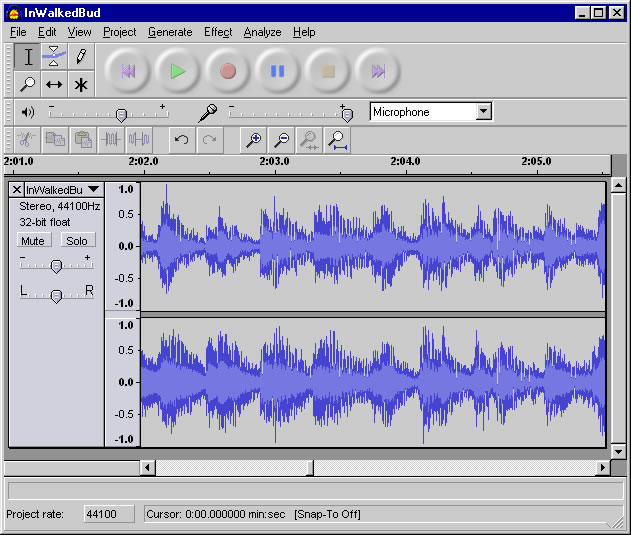
I have these recorded through the free software called Audacity and we are going to decide which recording is the best for each reading strategy and use them in a 12-bar-blues piece to remember the reading strategies for the EOGs. I have recorded the students and put them in a folder on the shared drive at Viewmont. I am so pleased with what they have created!
I saved them as .wav files but I want to figure out how to put them on my webpage and then make a CD of them for future use. I had the students sit at my computer and use the Audacity software as they were recording. I know this is a free download, so some of them may be able to make use of it at home.
Wanda Logan, Viewmont Elementary
Tuesday, May 8, 2012
Learning about pH
Subject: Science
Grade: 8
Technology tools: Computer
Tools used: Interactive Website, Video
Activity type: Lesson, Assessment
On Thursday I am planning an activity on pH involving interactive websites Brain Pop, Study Island, and Alien Juice Bar. On Brain Pop, we will be watching a short video and completing a group quiz on the pH scale.
On Alien Juice Bar (http://scienceview.berkeley.edu/showcase/flash/juicebar.html), students will manipulate data to create acids and bases. We will access the Alien Juice Bar website through the use of Study Island.
Grade: 8
Technology tools: Computer
Tools used: Interactive Website, Video
Activity type: Lesson, Assessment
On Thursday I am planning an activity on pH involving interactive websites Brain Pop, Study Island, and Alien Juice Bar. On Brain Pop, we will be watching a short video and completing a group quiz on the pH scale.
On Alien Juice Bar (http://scienceview.berkeley.edu/showcase/flash/juicebar.html), students will manipulate data to create acids and bases. We will access the Alien Juice Bar website through the use of Study Island.
Catching Fire Commercial Video
Subject: Language Arts
After reading the second book in The Hunger Games series, Catching Fire, students created a video commercial depicting some of the events and challenges faced by the characters in the book.
Grade: 6
Technology
tools: Computer
Tools
used: Social
media tool, Video
Activity
type: Lesson, Project
After reading the second book in The Hunger Games series, Catching Fire, students created a video commercial depicting some of the events and challenges faced by the characters in the book.
Students Encouraging Students to READ!
Subject: Language Arts
Grade: 5
Technology tools: Computer
Tools used: Interactive Website
Activity type: Lesson, Unit, Project
Fifth graders at Viewmont Elementary created multi-genre projects to promote and encourage classmates to read their books. Students could choose from a selection of assignments to create their projects.
Some of the projects that used technology included:

These projects were presented to classmates along with a persuasive essay to promote reading. The students were able to use their creativity and higher order thinking to complete a project using technology. The process of the project not only exposed students to technology, it got kids excited about books! Peer recommendations got kids talking, discussing and reading!!!
Beth Norwood, Viewmont Elementary
Grade: 5
Technology tools: Computer
Tools used: Interactive Website
Activity type: Lesson, Unit, Project
Fifth graders at Viewmont Elementary created multi-genre projects to promote and encourage classmates to read their books. Students could choose from a selection of assignments to create their projects.
Some of the projects that used technology included:
- Create an I AM poem about a character using the Poem generator.
http://ettcweb.lr.k12.nj.us/forms/iampoem.htm
- Use Microsoft Publisher to create a WANTED poster, book poster or advertisement for the book.
- Students used online comic strip generators to summarize their book.
http://www.pixton.com/
- Characters from the students' books corresponded through email.
- The students used Microsoft Word to create a TOP 10 list of reasons to read their book.
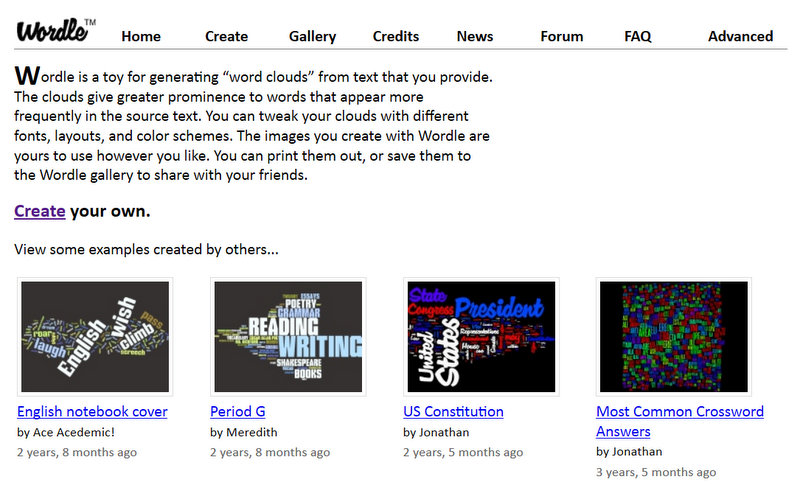
- Students made WORDLES about their book including: description of characters, setting, character names, important events, and tough words.
http://www.wordle.net/

- Birth Certificates and Eulogies using information about the characters were created on publisher.
- Students used Google Maps to create a map of the travels in their story.
- Glogs were created to promote the exciting events in their books.
http://www.glogster.com/
These projects were presented to classmates along with a persuasive essay to promote reading. The students were able to use their creativity and higher order thinking to complete a project using technology. The process of the project not only exposed students to technology, it got kids excited about books! Peer recommendations got kids talking, discussing and reading!!!
Beth Norwood, Viewmont Elementary
Digital Day
Subject(s): Math, Language
Arts
Grade(s): 2
Technology
tools: Computer(s),
LCD Projector, Document Camera
Tools
used: Video,
Word processing
Activity
type: Lesson,
Teacher presentation, Assessment
I used the computer, projector and
document camera as my teaching assistant all day today. NO BOARD and NO MARKER!
:)
From this:

to THIS:
From this:
to THIS:
Today, I used the computer and a simple PowerPoint
presentation instead of the board and marker system that I have so been
accustomed to using. I changed
everything over. The student's agenda and schedule, directions, work were on a PowerPoint presentation that helped guide clear and direct instruction today.
The technology seemed to hold the student's attention because they remained
engaged and could stay focused on the task at hand.
Assessment: I could allow students to self check work
they answered questions, comments on target, etc.
GREAT day with technology!. Having what we have makes
me want more! :) It opened the doors for my teaching and the learning and
exploration for my students!
Susan Winkler,
Viewmont
Making Learning Engaging for ALL!
Subject(s): Information
Literacy
Grade(s): K, 1, 2
Technology
tools: LCD
Projector, Document Camera
Activity
type: Lesson
In working with the children in the self-contained K-2 class, my
objective is always to have them be as physically involved as possible. This
keeps them engaged. I try to use music
or something visual to hold attention and invite participation. This lesson
involved comparison and contrast using the terms same and different.
Because all children love to touch things and see
material projected, I decided that, since I don't have an interactive white board
and these children are on the floor, I'd project the book I was using and lower
the projector to a small, floor level white board. It worked well. The children were eager to answer questions
and point to the illustrations that supported their responses.
Beth Shoffner,
Oakwood
Rainforest Project with ESL Students
Subjects: Language Arts, Science, Information Literacy
Grade: 2
Technology tools: Computer(s), Laptop(s), LCD Projector, Document Camera
Tools used: Interactive website
Activity type: Lesson, Project, Research
Objectives:
ELA Gr 2 Writing Standard: Text Types and Purposes: 2. Write Informational Texts in which they introduce a topic, use facts ad definitions to develop points, and provide a concluding statement or section.Research to Build and Present Knowledge: 7. Participate in Shared research and writing projects
WIDA ELP Standard 2: Language of LArts: Reading Informational Text ; Standard 4: Language of Science: Reading and Writing Living Organisms
Grade 2 Science Standards: Life Cycles
In connecting with their classroom study of the rainforest, Second Grade ESL Students are using internet resources to collect data about Frogs/Amphibians. Each student is uses a netbook to log onto educational websites such as National Geographic Kids to correctly label poison dart frogs, complete life cycle diagrams, and collect dash facts about the species. They have also been able to watch short video clips about the habitats and life cycles of tree frogs and poison dart frogs. Student are creating their own frog research book. This project builds ESL students' background knowledge and vocabulary in the areas of life science, nonfiction reading, and information technology.
Christine Smith, Viewmont
Grade: 2
Technology tools: Computer(s), Laptop(s), LCD Projector, Document Camera
Tools used: Interactive website
Activity type: Lesson, Project, Research
Objectives:
ELA Gr 2 Writing Standard: Text Types and Purposes: 2. Write Informational Texts in which they introduce a topic, use facts ad definitions to develop points, and provide a concluding statement or section.Research to Build and Present Knowledge: 7. Participate in Shared research and writing projects
WIDA ELP Standard 2: Language of LArts: Reading Informational Text ; Standard 4: Language of Science: Reading and Writing Living Organisms
Grade 2 Science Standards: Life Cycles
In connecting with their classroom study of the rainforest, Second Grade ESL Students are using internet resources to collect data about Frogs/Amphibians. Each student is uses a netbook to log onto educational websites such as National Geographic Kids to correctly label poison dart frogs, complete life cycle diagrams, and collect dash facts about the species. They have also been able to watch short video clips about the habitats and life cycles of tree frogs and poison dart frogs. Student are creating their own frog research book. This project builds ESL students' background knowledge and vocabulary in the areas of life science, nonfiction reading, and information technology.
Christine Smith, Viewmont
Monday, May 7, 2012
Edmodo as a Classroom Website
Subject: Language Arts
Since my mode of technology includes an online
classroom atmosphere, most of my goals are met through the use of Edmodo.
Grades: 10, 11, 12
Technology
tools: Computer(s)
Tools
used: Social
media tool
Activity
type: Lesson,
Teacher presentation, Assessment, Research
I post PowerPoint notes for my students, weekly think
questions, and even major assignments where students turn in their work.
Additionally, I make use of polls for formative assessment so that I can gauge
the students on their levels of understanding. Additionally, I have used Edmodo
in conjunction with ExamBuilder so that students can take their summative
assessments (that I once printed) online, and the computer will even grade the
work for me. :)
This particular web site is what makes my classroom
easy to manage! The best feature is that I can organize all of my assignments
for each class, and students have a calendar of events and due dates to help
with their own organization. In my English classes, I don't use Edmodo as
regularly, for all of my students do not have use of a computer at home. For
this group, I post weekly vocabulary assignments where students have a week to
complete the work; moreover, I will post reminders.
What I've enjoyed most about Edmodo for this group is that the research process has become much easier. I post attachments, links, and even embed pages that they might need complete their work, and I do not have to make copies or resend emails. material is available to them from any computer anywhere.
I would not change anything about using this
website. I've tried other sites before,
but it is by far the most user friendly for both me and my students.
Rachael
Moyer,
Hickory High
-------------------------------------------
Read more about using Edmodo in the classroom here.
-------------------------------------------
Read more about using Edmodo in the classroom here.
Subscribe to:
Comments (Atom)