Showing posts with label project. Show all posts

Friday, May 11, 2012

Second Grade ESL Students Research Frog/Amphibian

Subject: Science
Grade: 2
Technology tools: Computer, Laptops
Tools used: Interactive website, Video,
Activity type: Lesson, Research, Project

In connecting with their classroom study of the rainforest, Second Grade ESL Students are using internet resources to collect data about Frogs/Amphibians. Each student is uses a netbook to log onto educational websites such as National Geographic Kids to correctly label poison dart frogs, complete life cycle diagrams, and collect dash facts about the species.

 
They have also been able to watch short video clips about the habitats and life cycles of tree frogs and poison dart frogs. Students are creating their own frog research book. This project builds ESL students' background knowledge and vocabulary in the areas of life science, nonfiction reading, and information technology.

Christine Smith, Viewmont Elementary

Elementary Project: Collaborating with Media Coordinator

Subject: Science, Social Studies
Grade: 4, 5
Technology tools: Computer
Tools used: PowerPoint, Paint, Websites
Activity type: Project, lesson, research


4th grade lesson – We are beginning our research project on the lighthouses of North Carolina. Students will be using the internet to find facts about NC lighthouses and fill in a data chart with those facts. (Height; design; date built; etc) After 2 weeks of research, they will use Microsoft Paint to draw and label their favorite lighthouse.


5th grade lesson – We are culminating our project on Natural Disasters. This began as a collaborative project with 5th grade teacher Tara Triplett, and was so successful it expanded to other classes. Students have worked in groups to research a natural disaster and create PowerPoint presentations. We will be viewing our PowerPoint presentations as a class.

Caroline Brown, Media Coordinator, Longview Elementary

Integrating Technology in an Elementary Classroom

Subject: Language Arts, Science, Social Studies, Math
Grade: 4
Technology tools: Computer, Projector, Interactive Whiteboard
Tools used: PowerPoint, Interactive website
Activity type: Lesson, assessment, project, research

This week in reading I will be using Spelling City in Literacy First stations for Words Their Way word sort practice.


I also use my classroom computers for student research on NC history, geography, etc. The students Google search and compare researched information to other sites as well as what their teammates found.

I use a listening station in Literacy First stations and this week they are listening to Roald Dahl read Fantastic Mr. Fox.

In whole group, I will use the SMART Board for viewing videos of JFK to go along with our Weekly Reader. We will Google search and project Google images of Oswald, Ruby, and Maria Shriver.

Other websites I will visit to connect with the Weekly Reader are http://www.dinosaurfact.net/ and http://boston.redsox.mlb.com/bos/ballpark/index.jsp.


Also, I will use it in math to project our textbook and homework practice book as well as real world math problems in the beginning of each lesson (these are interactive PowerPoint presentations generally used to introduce the lesson). I will use “Mall Math” from Lakeshore which reviews decimals, fractions and percents on the SMART Board using an interactive game and real world flyers. 

Lastly, and most cool of all, I will be using the Zoomy this week for Science. We are studying systems of the body and I will use the handheld digital microscope to project examples of striated, smooth and cardiac muscle from their text book. We will also take a close look at our skin using the Zoomy!


Danielle Jackson,  Longview Elementary

Tech Integration Activities in Middle School


Subject: Language Arts
Grade: 7
Technology tools: Computer, Projector, Interactive Whiteboard
Tools used: PowerPoint, Interactive website
Activity type: Lesson


I am using my Mimio Teach to do Daily Grammar Practice. I also uploaded a PowerPoint into the Mimio so that I could use the pad.

We also just completed a project using the computers. The students had to create an online poster about a poet using Glogster.


Heidi Eveland,  Grandview Middle

Tuesday, May 8, 2012

Students Encouraging Students to READ!

Subject: Language Arts
Grade: 5
Technology tools: Computer
Tools used: Interactive Website
Activity type: Lesson, Unit, Project

Fifth graders at Viewmont Elementary created multi-genre projects to promote and encourage classmates to read their books. Students could choose from a selection of assignments to create their projects.

Some of the projects that used technology included:


  • Characters from the students' books corresponded through email.
  • The students used Microsoft Word to create a TOP 10 list of reasons to read their book.
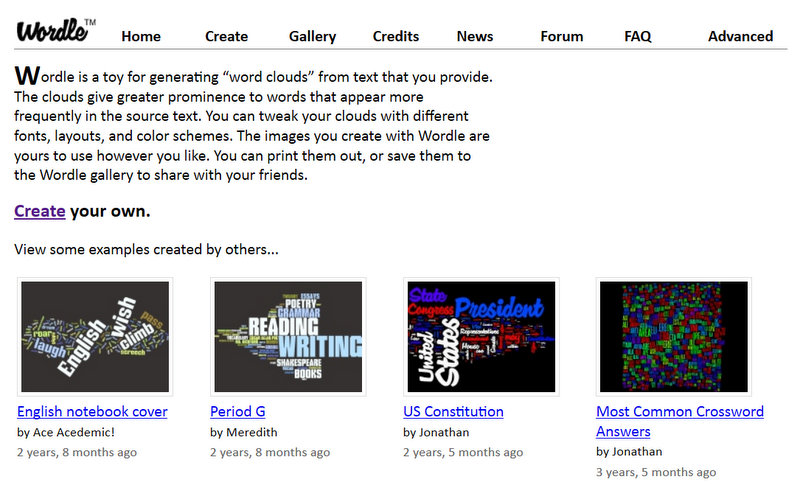
  • Students made WORDLES about their book including: description of characters, setting, character names, important events, and tough words.
    http://www.wordle.net/


  • Birth Certificates and Eulogies using information about the characters were created on publisher.
  • Students used Google Maps to create a map of the travels in their story.
  • Glogs were created to promote the exciting events in their books.
    http://www.glogster.com/


These projects were presented to classmates along with a persuasive essay to promote reading. The students were able to use their creativity and higher order thinking to complete a project using technology. The process of the project not only exposed students to technology, it got kids excited about books! Peer recommendations got kids talking, discussing and reading!!!

Beth Norwood, Viewmont Elementary

Rainforest Project with ESL Students

Subjects: Language Arts, Science, Information Literacy
Grade: 2
Technology tools: Computer(s), Laptop(s), LCD Projector, Document Camera
Tools used: Interactive website
Activity type: Lesson, Project, Research


Objectives:
ELA Gr 2 Writing Standard: Text Types and Purposes: 2. Write Informational Texts in which they introduce a topic, use facts ad definitions to develop points, and provide a concluding statement or section.Research to Build and Present Knowledge: 7. Participate in Shared research and writing projects

WIDA ELP Standard 2: Language of LArts: Reading Informational Text ; Standard 4: Language of Science: Reading and Writing Living Organisms

Grade 2 Science Standards: Life Cycles

In connecting with their classroom study of the rainforest, Second Grade ESL Students are using internet resources to collect data about Frogs/Amphibians. Each student is uses a netbook to log onto educational websites such as National Geographic Kids to correctly label poison dart frogs, complete life cycle diagrams, and collect dash facts about the species. They have also been able to watch short video clips about the habitats and life cycles of tree frogs and poison dart frogs. Student are creating their own frog research book. This project builds ESL students' background knowledge and vocabulary in the areas of life science, nonfiction reading, and information technology.

Christine Smith, Viewmont

Monday, May 7, 2012

Creating a Classroom Newspaper


Subjects:  Language Arts
Grade:  2
Technology tools:  Laptop(s), digital camera
Tools used:  Digital manipulative, Word processing
Activity type:  Project

I wanted students to combine word processing skills and digital photography to create a classroom newspaper about things that happen in our classroom.

I submitted a proposal to DonorsChoose asking for a netbook computer and digital camera to create a classroom newspaper called "Heckler's Happenings".  Students write articles about things we are currently working on in class.  They type the article using Microsoft Word and take pictures with the digital camera to accompany the article.  Right now I place the articles and pictures into the newsletter template, but as this project grows, I would like to show students how to do it themselves.

So far, we have published our first issue and are ready to publish our second.
The students are very excited to write their articles and have great ideas.  The first issue provided immediate feedback to them that they were proud to show to their parents.  I will continue with this activity and make improvements to the process with each issue.

Kim Heckler,  Southwest

Math at Grandview

Subject:  Math
Grade:  7
Technology tools:  Computer(s), Laptop(s), LCD Projector, digital cameras
Tools used:  Simulation, Digital manipulative, Digital text / ebook, Word processing, Communication tool, Collaboration tool
Activity type:  Lesson, Unit, Project, Teacher presentation, Assessment, Research, Tutorial

Unit Topic: Math at Grandview

Learning Target: Create and present a presentation with peers showing math shapes and concepts  found at Grandview

Curriculum standards and objectives:
·         All 7th grade math standards and objectives were covered:  Goal 1...Number and Operations, Goal 2...Measurement, Goal 3...Geometry, Goal 4...Data Analysis, Goal 5...Algebra

·         Info and tech standards: Assimilate and evaluate information
 
Students were to create a PowerPoint presentation using shapes and measurements found at Grandview.

·        Step 1: Students were divided into groups and given the rubrics necessary for the project.

·        Step 2: The groups were  given a stop watch and digital camera. Following the rubric they were to take up to 15 pictures to use on their slides.

·        Step 3: Following the rubric they created a PowerPoint presentation to present to their class and parents at PTA night.

Students were assessed using a rubric that included  a group grade for content and presentation. The participation grade was for each individual (each group member graded the members of their group according to a rubric and I averaged these together to get the individual's participation grade).

This activity was extremely successful. The discussions that were generated when the projects were presented were amazing. Students asked each other probing questions and pointed out things that were in the slides that the presenters did not notice.  Students were also able to point out mistakes in a nonthreatening manner.

Changes for the future: The one change that I would make would be to I sign up for the computer lab for an extra day. (The students became so involved that they wanted to do the same project again but take different pictures.)

Ellie Wilson,  Grandview

Using the Elmo Document Camera


Subjects:  Math, Language Arts
Grades:  K, 1, 2, 3, 4, 5
Technology tools:  Document camera
Activity type:  Lesson, Project

I use Elmo as a group instruction tool during math, reading, and written language.  All IEP objectives are generated from standard curriculum per grade level.

Teacher uses materials for instruction, then students are expected to "direct" the teacher to follow up with examples, i.e., talking students through the process.

After instruction and examples, students work independently to determine whether the skill is understood and retained.

This method is both successful and is enjoyed by the students.

-------------------------------------------

Here is short Elmo tutorial video by Donna Murray.

Integrating Technology Tools into Art Instruction

 
Subject:  Arts
Grades:  4, 5
Technology tools:  Computer(s), Digital camera
Tools used:  electronic presentation
Activity type:  Lesson, Unit, Project, Research, individual/collaborative work

My objectives are to encourage the use of technology in my classroom, to have the students learn more about using digital cameras/computers, to demonstrate that electronic presentations can be an art form, and creating electronic presentations can be a real life art career.

My students are working as teams to create electronic presentations on one (of their choice) of the Elements of Art.  They can choose from color, shape, line, texture, value, space, or form. 
They are using the computer and digital camera to explain/teach/illustrate their product with visuals.
This lesson, still in the works, has caused a lot of excitement with the students! 
I have found that we help each other.  I share my skills and they enjoy helping me and the other students by sharing their skills.

I'll be as proud of them as the students because this is a learning process for me too!
I use this as a real life situation.  We have a company that needs an informational product and the students are the producers of the product.  The class response will be the judge if their product would fit the needs of the company.

Since this is a visual product we will have the actual finished work for the assessment.
They are required to have at least ten pages and more is encouraged.  At this point it may be necessary to limit them since they are so excited!  Intro page, definition, examples of the Element, actual examples they found at school and from research on the computer will be included, and the compilation of team's efforts are some of the things I expect them to have in their presentation.

This activity has been highly successful so far.  I have students coming in during the day to tell/show me things they have found in the school to demo their element.  For example - I like seeing them get excited about the texture of the wall!  It may be the first time they really looked at them closely.  It is like a new discovery for them.

These productions will be used with my students next year to introduce the students to the various Elements of Art as we use them and as an example of what they can do also.

I would like to have an LCD projector to use so the creators could see what it looks like on a big screen, see what they might need to adjust for a more eye catching product and also to show the final products to the rest of the students.

Donna Buchanan, Art, Jenkins Elementary

Family Heritage Project


Subjects:  Language Arts, Social Studies, Information Literacy
Grade:  4
Technology tools:  Laptop(s)
Tools used:  Digital text / ebook, Word processing
Activity type:  Lesson, Unit, Project, Assessment, Research, State Writing Assessment


Students interviewed their oldest living relative as part of the Family Heritage Project. The asked the person a series of 18 questions that compared and contrasted their own life to that of the interviewee.   The word processing skills gained have impacted the many, many other projects and technology integration we do on a daily basis in our classroom.

Students then composed specific information into a paragraph outline to create a 6 paragraph paper.  Students were able to edit, use word-processing skills, connect Language Arts skills and edit documents like you would in a real News Reporting room.

This part of the project was also the State Writing prompt for our school. Students used the finished documents to create a lovely family treasure for year's to come.

Students met with teacher to look at text features, content, and go through the writing process.

Cynthia Thompson-Schmidt, Jenkins Elementary

Using PhotoPeach with ESL Students


Subjects:  Language Arts, Science, Social Studies
Grades:  K, 1, 2, 3, 4, 5
Technology tools:  Computer(s), Laptop(s), LCD Projector, Interactive Slate
Tools used:  Interactive website, Video, Digital text / ebook, Audio, Audio creator / editor, Word processing, Image creator / editor
Activity type:  Lesson, Unit, Project, Teacher presentation

I used PhotoPeach, a web-based, user-friendly, slideshow maker, to integrate science and technology, and ESL/ELA content and technology. In one third grade project, students studied main idea, comparing and contrasting, and Tier 2 words, and science content. After drawing pictures and writing descriptive sentences that compared and contrasted, they were able to upload their drawings, and add music, text, and comments to their presentations.

A similar activity was done in first grade; with more of a focus on sentence structure.
Another PhotoPeach project integrated the school-wide Career Day presentations by parents and community members. After pictures were uploaded, students added descriptive sentences, which are now to be presented to parents and attendees at Awards Day.

PowerPoint presentations and interactive slates have been a part of my curriculum for a few years now.

Crystal Pritchett, Jenkins Elementary 

Civil War Presentations using PowerPoint and Prezi


Subjects:  Math, Language Arts, Social Studies
Grades:  3, 4, 5
Technology tools:  Laptop(s), LCD Projector
Tools used:  Video, Word processing, Social media tool, Communication tool
Activity type:  Lesson, Unit, Project, Research

Students researched famous people of the Civil War and created PowerPoint presentations and Prezis to present along with their costumes and tri-folds for the Civil War Wax Museum.  Students viewed videos, researched their people, printed pictures, made PowerPoint presentations, and created Prezis.  Student learned how to save their information to their individual student share folders, and send their info to themselves through email, as well as save their info on flash drive.  On the day of the Wax Museum, students used the netbooks in the mall area of our school as part of their presentations.

Students were given a full rubric for the project that included use of technology.

The activity was very successful and I would like to link the Prezis together in a movie for next year's students to view.

Janet Hambrick,